Best 5 Split-Screen Baby Monitors for Twins and Multiples
Explore five split-screen baby monitors, including both Wi-Fi and non-Wi-Fi options. From dedicated parent unit systems to app-based monitors, there's a setup to suit every home with twins or multiples.






Updated September 30, 2026
AI Summary


If you have twins or children in separate rooms, you already know the mental load of keeping track of more than one sleeping baby at once. Getting up to check on two cribs, listening for sounds from two rooms, wondering if you missed something while you were looking the other way.
A split-screen baby monitor helps take a lot of that weight off. Instead of running between rooms or carrying around two different parent units, you get both views on one screen at the same time.
In this post, we walk you through how these baby monitors work, what to look for, and five of the best options available right now.
Overview of the 5 Best Split-Screen Baby Monitors
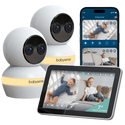
Babysense Touch
7" touchscreen monitor with true split-screen viewing, switching freely between secure local and Wi-Fi remote modes.
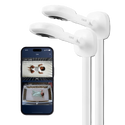
Nanit Smart Baby Monitor Multi-Pack
Wi-Fi-connected cameras pair with unlimited remote range, split-screen viewing, and detailed sleep tracking for both cribs.
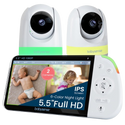
Babysense PRO
Full HD 5.5" split-screen monitor that runs entirely offline, no Wi-Fi, no app, and no cloud storage involved.
Show more
How Split-Screen Monitoring Works
Split-Screen vs. Auto-Scan
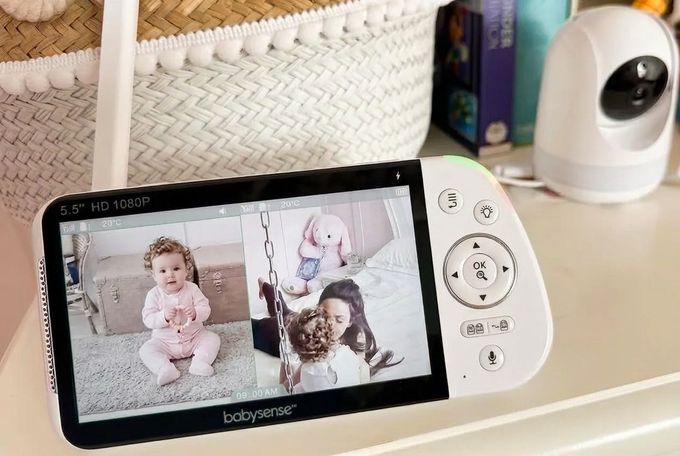
Split-screen shows two camera feeds side by side on the same screen at the same time. You can see both babies simultaneously without switching between views. This is the feature most parents of twins are really looking for.
Auto-scan cycles through your camera feeds at set intervals, giving you a larger, fuller view of each baby one at a time before moving to the next. It's useful if you want a clearer look at each child in turn, but it does mean you're not watching both at the same moment.
The best systems give you both options so you can switch between them depending on what you need.
How Audio Works With Multiple Cameras
Most multi-camera monitors only relay audio from one camera feed at a time. Mixing audio from two cameras simultaneously tends to create noise clutter that makes it harder, not easier, to figure out what's happening.
If your monitor has an auto-scan function, the parent unit will play the audio of the feed currently being displayed on the screen. This feature comes standard with all Babysense split-screen monitors.
What to Look for in a Split-Screen Baby Monitor
Here are the features worth prioritizing for multi-child monitoring:
- Screen size and resolution: Split-screen divides your display into two, so you want a screen large enough that both video feeds are still clear and detailed. A 5-inch screen at minimum, ideally Full HD.
- Independent camera control: You should be able to pan, tilt, and zoom each camera separately without losing the view from the other.
- Clear user interface: Managing multiple cameras adds complexity. Look for simple, intuitive controls that work well at 3 am.
- Battery life and stable connection: Running two video feeds simultaneously uses more power. Look for a large battery and a stable wireless connection that won't drop when you need it most.
» Learn whether a security camera or baby monitor is the better choice for your nursery.
Camera Placement for Twins and Multiple Rooms
Getting your camera placement right matters whether your babies share a room or sleep in separate ones.
For Twins in the Same Nursery
- Each camera should have a clear, unobstructed view of one crib.
- Mount them securely on a wall or high shelf, angled downward so you can see your baby's face, chest movement, and the full sleep surface.
- Ideally, you should also be able to see the room entry point.
For Children in Separate Rooms
- The same placement rules apply in each room.
- Keep all cords and camera parts at least six feet from any crib or sleep space.
- Secure cables along the wall.
- Revisit placement as your babies grow and become more mobile.
Never mount a camera directly inside or on the crib rail, and never run cords through the sleep area. Also, remember that a monitor is a helpful tool alongside safe sleep practices, not a replacement for them [1].
» Go a step further and check out these tips and tricks on multi-room monitoring.
The 5 Best Split-Screen Baby Monitors
1

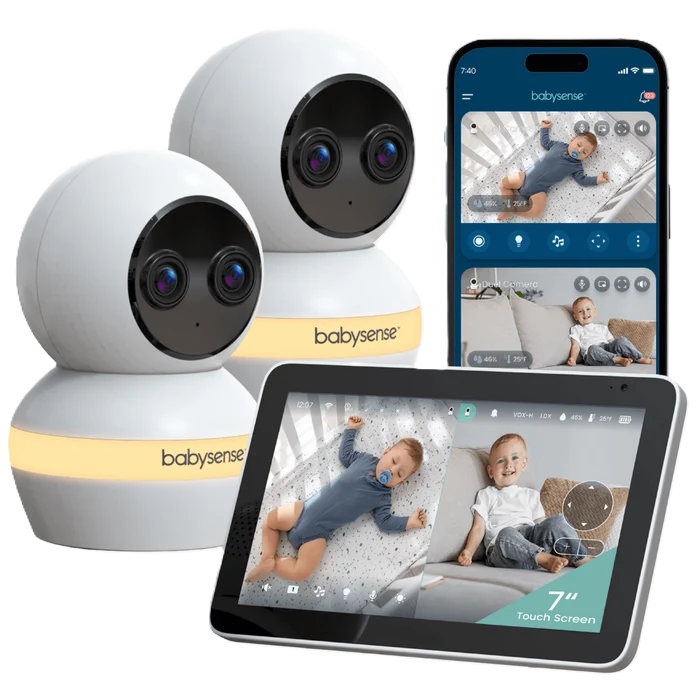
Babysense Touch
Watch both babies, crystal clear.
Connectivity
Dual Wi-Fi + Non-Wi-Fi
Display
7" IPS touchscreen
Range
1,000 ft local / unlimited via Wi-Fi app
Why we chose it
For split-screen monitoring specifically, screen size and control matter more than most parents expect, and the Babysense Touch is the only monitor on this list built around a full 7" touchscreen instead of buttons or a phone app. That extra real estate makes a real difference when you're looking at two feeds at once instead of one.
What sets it apart for twins and multiples, though, is the dual-mode setup. You get a private, hack-proof local connection by default, with the option to flip on Wi-Fi and check both cameras from your phone when you're not home. AI auto-tracking and focus-area alerts work independently per camera, so the system is watching each baby, not just displaying two videos side by side.
Pros and cons
7" touchscreen for easy dual control
True simultaneous split-screen, not just cycling
Offline or Wi-Fi, your choice
AI tracking follows each baby
6x zoom on both cameras
Larger parent unit is less portable
2

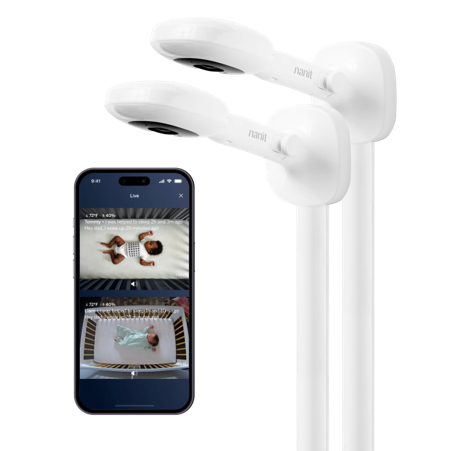
Nanit Smart Baby Monitor Multi-Pack
Check in from anywhere, anytime
Connectivity
Wi-Fi
Display
App-based, 1080p HD
Range
Unlimited with internet
Why we chose it
Every other monitor on this list keeps you tied to a dedicated screen in the house. The Nanit doesn't, and that's exactly why it earns its spot for parents of twins who also need to work, travel, or leave the kids with a sitter.
Because both cameras connect through Wi-Fi, you can pull up split-screen views of each baby from your phone no matter where you are, which matters a lot more with two children than one.
Sleep tracking and analytics run per camera too, so you get separate historical data for each baby rather than one blended view. Cry alerts arrive labeled by camera, and two-way audio lets you talk to whichever room needs it. The trade-off is that everything depends on your Wi-Fi holding up.
Pros and cons
Unlimited range via Wi-Fi
Detailed sleep analytics per baby
Cry alerts labeled by camera
Multi-user caregiver access built in
No dedicated screen, phone only
Fully dependent on stable Wi-Fi
3
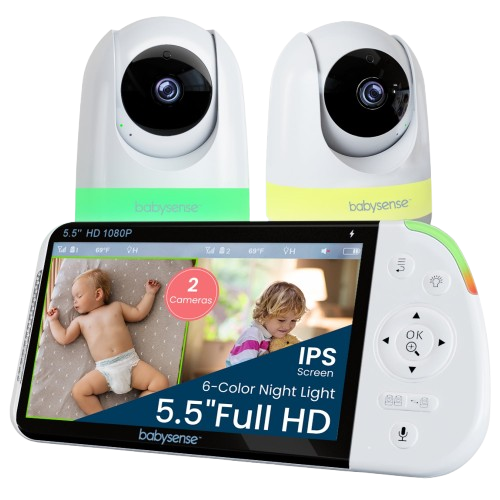
Babysense PRO
Split-screen peace of mind, without the Wi-Fi.
Connectivity
Non-Wi-Fi FHSS
Display
5.5 inch 1080p Full HD
Range
Up to 1,000 ft
Why we chose it
If you'd rather keep your nursery off your home network entirely, the Babysense PRO is the strongest option here for watching two children at once. The 5.5-inch Full HD display is large enough that splitting it in two still leaves each feed sharp and easy to read at 3 am. Both cameras can be panned, tilted, and zoomed independently, so adjusting the angle on one crib doesn't disturb the view of the other.
Because it runs on a closed FHSS connection with no app and no cloud storage, there's nothing for anyone outside your home to intercept, which is the main reason parents monitoring multiples choose it over an app-based system.
Pros and cons
Full HD 5.5" split-screen display
Independent PTZ control per camera
No Wi-Fi, app, or cloud
Up to 20 hours of battery in ECO mode
Customizable night light per camera
Battery drains faster with two simultaneous HD feeds
One-camera audio at a time
4

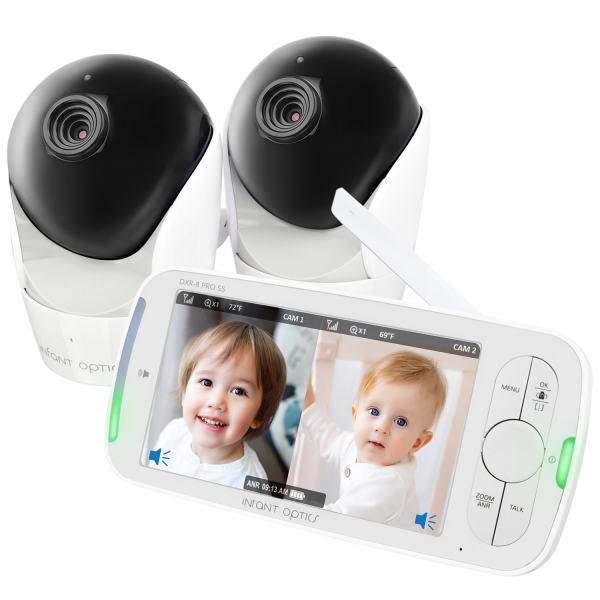
Infant Optics DXR-8 PRO SS
Hear every cry, filter out the rest.
Connectivity
Non-Wi-Fi FHSS
Display
5 inch 720p HD
Range
Up to 1,000 ft
Why we chose it
The Infant Optics DXR-8 PRO SS stands out for its active noise reduction, which filters out repetitive background sounds like fans, air conditioning, and white noise machines. For parents monitoring multiple children, that means you're hearing your babies more clearly and not constantly second-guessing whether that sound came from a white noise machine or an unsettled child.
The 5-inch 720p display handles split-screen well, and the system supports up to four cameras with optical zoom and wide-angle functionality. Auto-scan mode cycles through feeds automatically, and the system runs on a secure non-Wi-Fi FHSS connection.
Pros and cons
Active noise reduction cuts clutter
Simultaneous dual audio for both rooms
Secure non-Wi-Fi private connection
Expandable to four cameras total
Battery drops fast on dual feeds
720p less sharp than Full HD
5
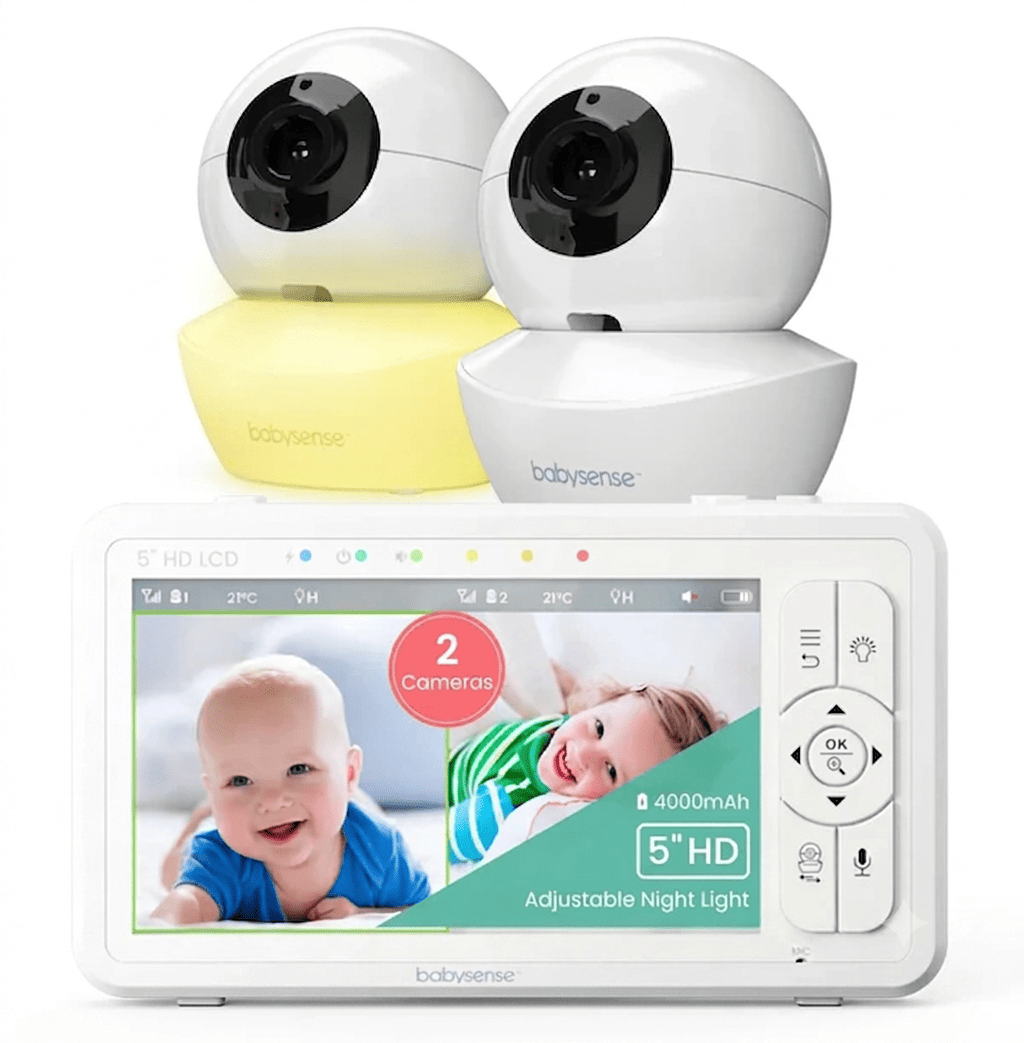
Babysense HD S2
Split-screen monitoring without the splurge.
Connectivity
Non-Wi-Fi FHSS
Display
5 inch 720p HD
Range
Up to 1,000 ft
Why we chose it
The Babysense HD S2 is a practical choice for parents who want split-screen monitoring without paying for extra features they won't use.
It still delivers true simultaneous split-screen on a clear 5-inch HD display. The cameras support 360-degree pan and 90-degree tilt, so you can get the right angle on each crib without going into the room. The HD S2 system can expand up to four cameras, so you're not locked into anything as your family grows.
Like the PRO, it runs entirely offline with no Wi-Fi or subscription required, just at a lower price point.
Pros and cons
Very affordable true split-screen option
360° pan and 90° tilt
Expandable to four cameras total
Up to 20 hours battery life
No Wi-Fi or subscription needed
720p is less sharp in split mode
Battery life shortens on dual feeds
Finding the Right Split-Screen Monitor for Your Family
The right monitor really comes down to where you'll be when you use it and what kind of reassurance you're looking for.
If you want private, reliable split-screen monitoring at home without any internet dependency, the Babysense Touch or the PRO are your strongest options. If you need to check in from work or while you're out, the Touch and Nanit give you that remote access.
Whatever you choose, make sure your camera placement is safe, your cords are secured well away from both cribs, and that the system you pick genuinely reduces your mental load rather than adding to it. That's really what a good baby monitor should do.
References
1. Torrance, N. (2023, November 27). Can home baby monitors prevent Sudden Infant Death Syndrome? https://communityhealth.mayoclinic.org/featured-stories/sids-baby-monitors
FAQs
What is the difference between split-screen and auto-scan mode?
Split-screen shows two camera feeds side by side on the same screen simultaneously. Auto-scan cycles through each camera feed one at a time at set intervals, giving you a larger view of each baby before switching. Most monitors offer both, so you can choose depending on what you need at any given moment.
Can I monitor twins in the same room with one camera?
It depends on the room layout and the camera's field of view. A wide-angle camera mounted at the right height and angle can sometimes cover two cribs in the same room. But for the clearest, most reliable view of each baby, two cameras are always the better option.
Do split-screen monitors work without Wi-Fi?
Yes. Most dedicated parent unit monitors, like the Babysense PRO and HD S2, use FHSS technology and work entirely without Wi-Fi. App-based monitors like the Nanit require a Wi-Fi connection to function.
Does running two feeds at once drain the battery faster?
Yes, processing two simultaneous video feeds uses more power than a single feed. Most parents monitor overnight, plug the parent unit in at the bedside to avoid this being an issue.